

It runs Home Assistant
Not just “turn on a light” — 69 admin services reach the
parts of HA that normally live behind the Settings UI, plus 89 native tools and a
real shell in /config. What it can reach →


A Home Assistant add-on that runs Claude Code and a suite of tools inside HA, which builds a permanent memory of your house.
It sees the whole system — every entity, device, area, floor, dashboard, helper and automation — and it can change any of it. Explain a broken automation. Fix it. Write a new one. Remember why, next time.
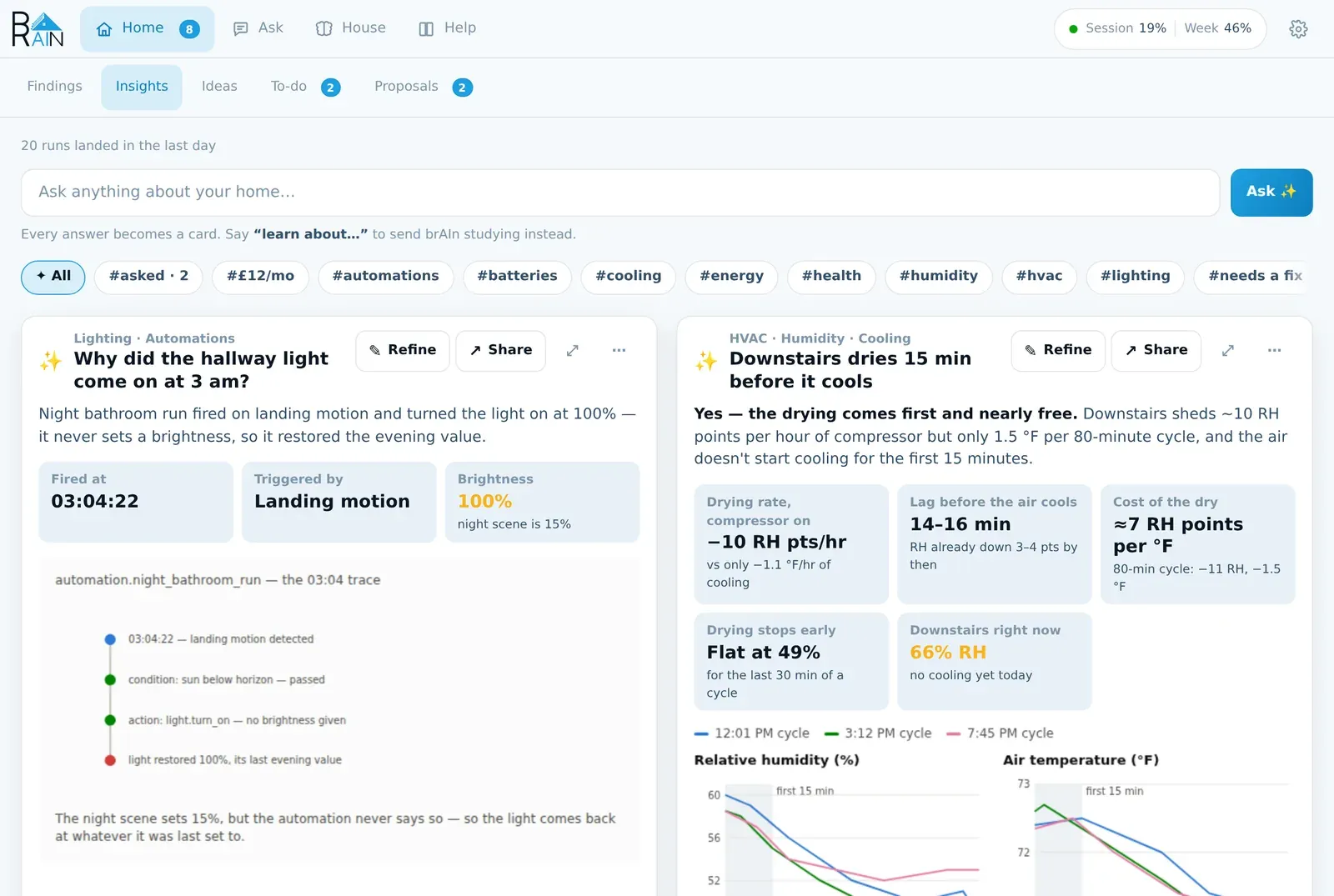
That memory isn’t a black box. Open it, read it, edit it, correct it. An insights panel shows what it knows about your house and what it’s done there — in the sidebar, or embedded straight into your dashboards.
Reach it however you want: as your conversation agent, through a full-featured chat interface, or from native Claude Code. Your automations can call it too — which means your house can ask for help before you notice anything’s wrong.
One install, one sidebar panel, one login. Runs on the Claude Pro or Max subscription — or your own API key.
It runs Home Assistant
Not just “turn on a light” — 69 admin services reach the
parts of HA that normally live behind the Settings UI, plus 89 native tools and a
real shell in /config. What it can reach →
It finds what's broken
A dying battery, a sensor that stopped reporting three weeks ago, an automation whose trigger can never fire. Press Fix it and it shows exactly what it would change; press Apply and it does — with an Undo on the card. Findings →
It remembers your house
One plain-markdown document of durable facts — nicknames, rhythms, the devices
that are meant to behave oddly. Everything brAIn does reads it, and
brain memory export carries it to new hardware — no starting over.
Memory →
It explains your house
Ask anything and get a card: the answer, the numbers and a chart. Refine it in a sentence, Share it as a picture or onto a dashboard. Insights →
It tells you about a leak, whatever else is going on
A tripped leak, smoke, CO or gas sensor is a critical card and a phone alert the moment it trips — through quiet hours, with reminders, without waiting for any AI, a sign-in or a usage budget. Permissions & Safety →
It keeps the house in order
Tidy names and rooms as one table you approve and can undo, an answer to “should I update tonight?” that quotes its evidence, an overnight check that names the cause, and a house book you can share. Upkeep →
It runs your devices and your other add-ons
Edit, validate and flash ESPHome devices, clear out stale Music Assistant speakers, and drive BRUH Minecraft, BRUH Print and BRight — “put Steve in creative”, “print a label that says chili” — all by asking. ESPHome → · Music Assistant →
It talks, in a voice you choose
Pick brAIn in Settings → Voice assistants. Give it a personality, or run several agents with different names — and each chooses its own reach, from only what you expose to Assist up to everything. Voice →
It has a terminal
The real Claude Code CLI with your /config in front of it, as a chat or as a
true terminal — one button between them. Several conversations stay open at
once and switching stops nothing, so one left mid-answer is finished when you
come back. Permission asks arrive as cards in the chat — or turn on Let brAIn
act without asking and it stops asking — and it never asks you to chown a
file. Terminal →
It works from automations
brain.run_task for background jobs, scheduled insight reports rendered to
sensors, and events your automations can trigger on.
Automations →
It can be undone
Every file brAIn writes to is snapshotted first — the automation an accepted
proposal adds included. brain undo lists the edits in plain English and puts
one back. The CLI →
Most AI integrations can turn on a light. brAIn runs the installation. It reaches Home Assistant three ways at once — native tools for reading and controlling, admin services for the registry, and a shell for everything that is still a YAML file.
entity_id, hide, unhide, enable,
disable. Find references to things that no longer exist and clean them up — dry-run
first, so you see the list before anything goes.Nothing is create-only. Everything that can be created can be renamed and deleted,
and every attribute a create_ service accepts has a service that changes it later.
A finding is something wrong with your house, filed by brAIn on its own while it was looking at something else. Each one carries the evidence — the entity, the number, the day it started — and what would resolve it.
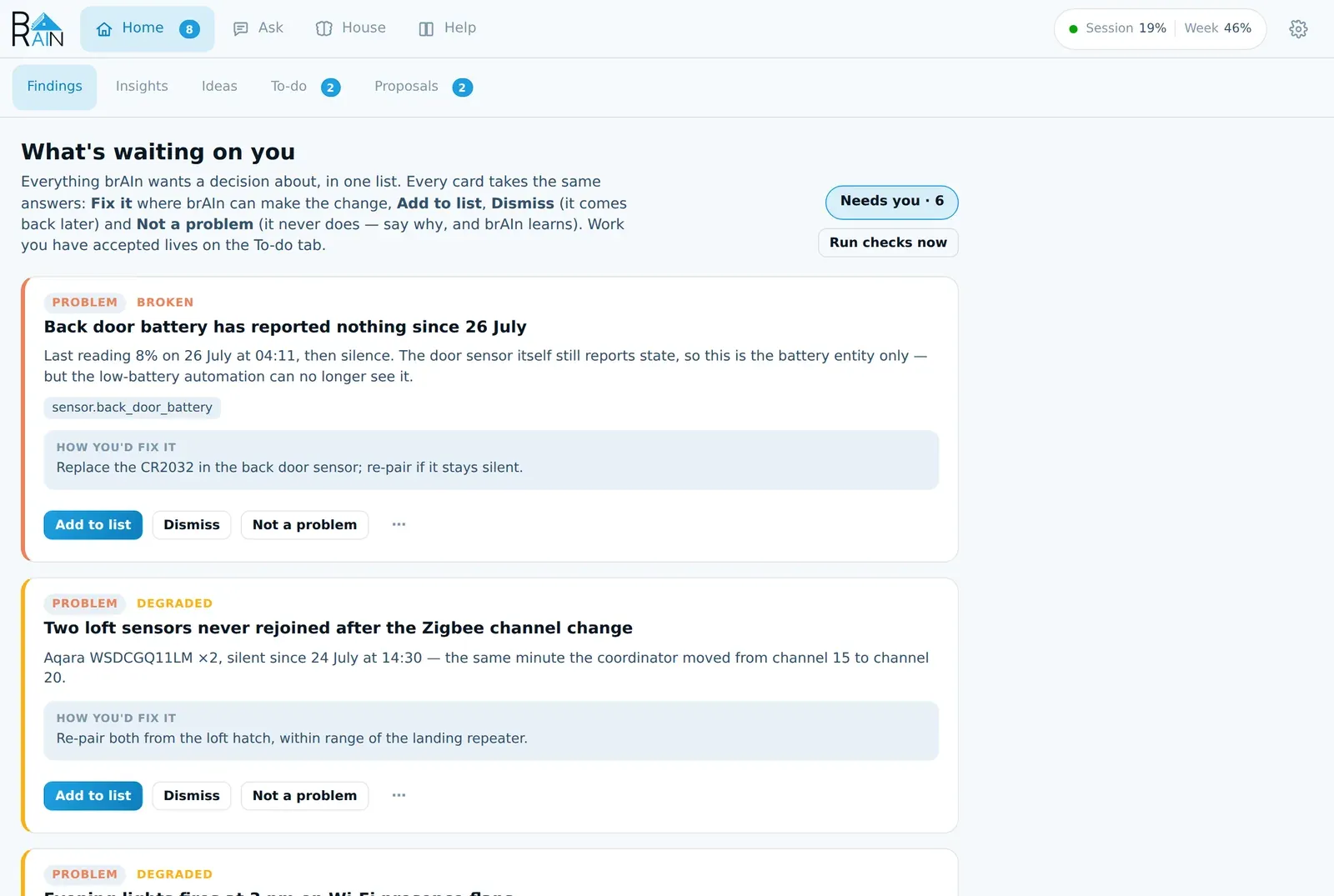
Every card takes the same row of answers: Fix it (where software can — brAIn shows you exactly what it will change and changes nothing until you press Apply, and the card keeps an Undo afterwards), Add to list, Dismiss for “not now”, and Not a problem for “you’ve got this wrong” — with a box for why, which is the half that teaches. “That sensor always reads on, it’s not stuck” becomes a standing fact about your house, so the next run doesn’t make the same mistake in new words.
Findings reach you without the panel open too: in Home Assistant’s Repairs, as the
todo.brain_system_brain to-do list, as sensor.brain_findings_open_findings, and — with
one option set (findings_notify_service) — as phone notifications with the same
answer buttons and a Reply.
Some of the things on the Proposals tab start with you rather than with a pattern it found:
A tripped leak, smoke, carbon monoxide or gas sensor is filed as a critical card naming the sensor and the time, and sent to your phone straight away — through quiet hours, with reminders behind it — without waiting for any AI to look at it, and without needing a Claude sign-in, the automatic switch or any usage budget. With no notification service set, it lands in Home Assistant’s own notifications. Every trip is its own alert. Permissions & Safety →
Everything above reports or proposes. Two things change the house, and both are decisions you make once, in advance:
Memory is one markdown document you can open and edit. brAIn writes to it from conversations, insight runs and background study sessions — and voice, insights and the terminal all read it. Tell the voice assistant something and the cards know it.
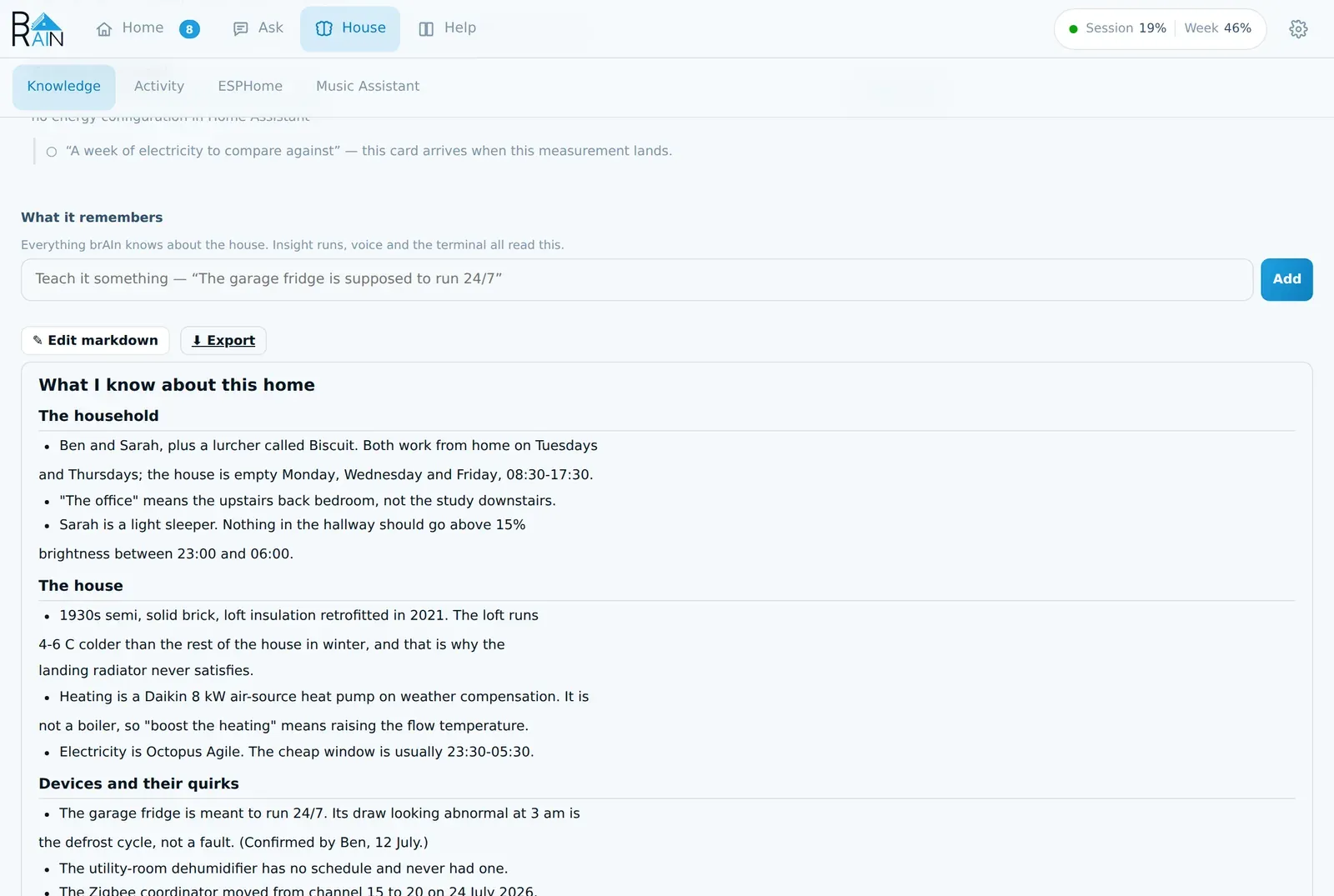
When brAIn believes something it can’t confirm, it says so as a guess you answer with one tap — “The garage fridge is meant to run 24/7 — right?” Three open at a time, never more. Guesses sit at the top of the Findings tab, because “is this broken?” and “have I got this right?” are the same job — a question only you can answer — and one list should hold everything waiting on you. Yes files it as a fact; No records a dead end that is never revisited.
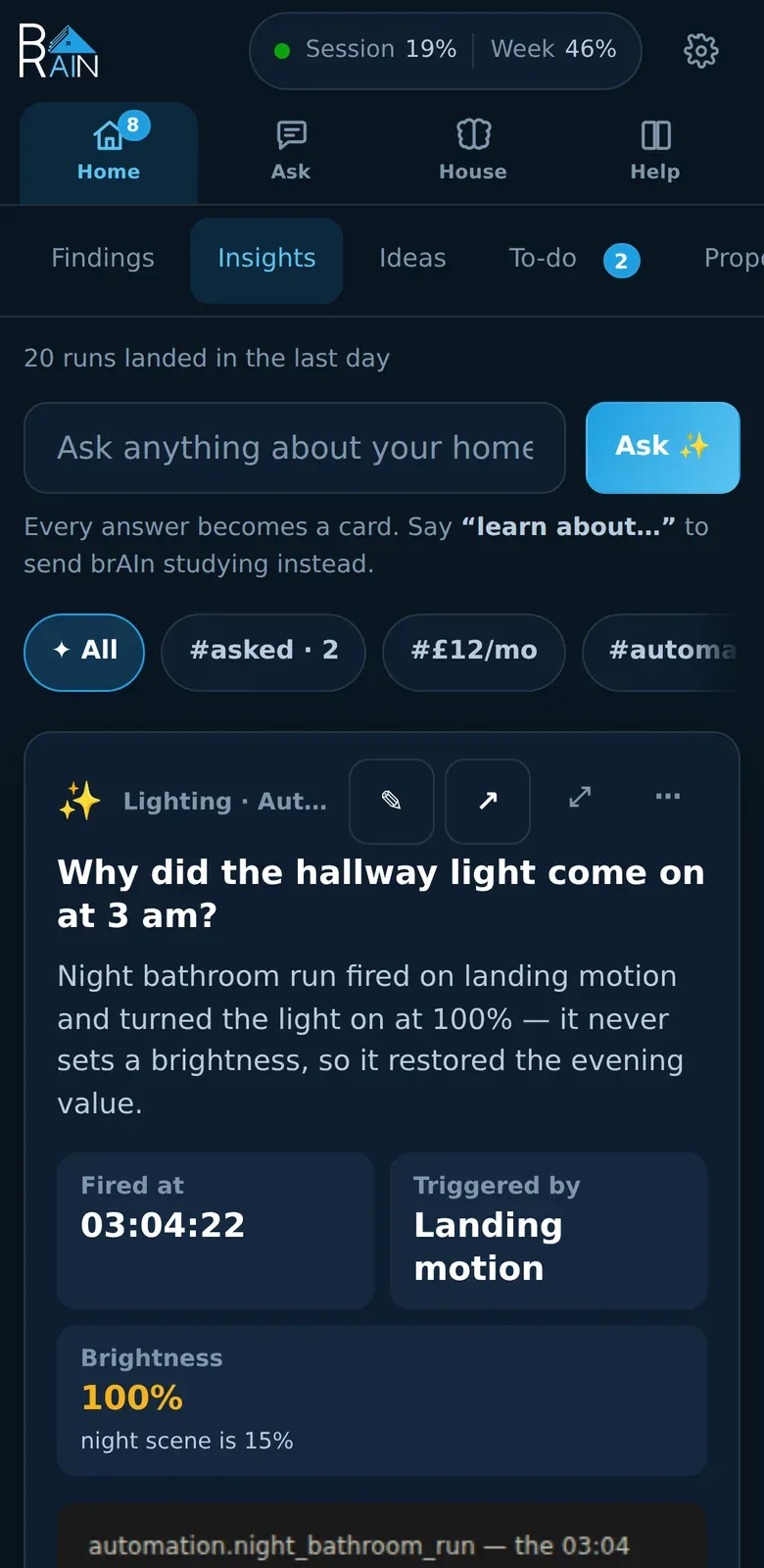
The panel is one ingress page with four tabs — Home, Ask, House and Help — built for a phone as seriously as a desktop: every target is at least 44px, cards rearrange themselves for a narrow screen, and the terminal folds the chrome away when the keyboard comes up.
What makes this different from running Claude Code on a regular machine:
/config/CLAUDE.md, a snapshot of
your install that Claude reads at the start of each session.backup_exclude keeps the Claude
credential out of HA backups; secrets.yaml is never snapshotted and never
edited.brain for its own faculties, ha for Home
Assistant chores. The CLI.brain doctor is free and answers whether the
plumbing is connected; --deep walks every face of the add-on with one
real round trip each, and --rehearse plants a couple of defects here, scores the checks
and the analyst against them, and takes everything back out. Neither ever runs on a timer.brAIn can’t add an integration (config flows are interactive, so it walks you to the right
screen and you click — removing one it can do), never touches credentials, and doesn’t back up your
configuration — Home Assistant’s own backups already do that. What it keeps is an edit
journal of the files it touched — the automation an accepted
proposal writes included — so brain undo can put one back. The full scorecard:
what brAIn can and can’t reach.
Back up Home Assistant first — somewhere that isn’t this machine
brAIn edits your real configuration: automations, dashboards, helpers, entities. It is
built to be careful, it snapshots files before it changes them, and brain undo puts them
back — but none of that is a backup you can restore from if something goes wrong.
Settings → System → Backups, then copy it off the device: a backup that only exists on
the machine you are changing is the one you cannot use when that machine is the problem.
Quick Start → — add the repo, install (a prebuilt-image pull, not a local build — a download, not minutes of compiling), restart HA once, sign in, press Start learning. About five minutes, plus a few minutes of study in the background.