

Bedrock cross-play
iOS, Android, Switch, Xbox, PS, Win10/11. Auto-installs Geyser + Floodgate. LAN auto-discovery — the server appears in the Friends tab on any device on the same subnet, no manual IP entry.


A Home Assistant add-on that runs a real Minecraft Java Edition server — Paper, Purpur, Folia, Vanilla, Fabric, or Forge — with a management panel in your HA sidebar. No VPS. No proxy jars. No Microsoft account required when you don’t want one.
Bedrock cross-play
iOS, Android, Switch, Xbox, PS, Win10/11. Auto-installs Geyser + Floodgate. LAN auto-discovery — the server appears in the Friends tab on any device on the same subnet, no manual IP entry.
No-Xbox family mode
Set a world’s online-mode=false and the add-on silently fixes every downstream setting — secure-profile, Geyser auth, Floodgate, Bedrock validation. Kids without Microsoft accounts join in seconds.
Per-world settings + one-click ops
Every world owns its own server.properties — creative sandbox and hard survival side by side, edited live from the panel’s Server Properties tab. OP anyone with one click on the Players tab; ops persist per world.
Voice Chat ready
Port 24454/UDP is exposed by default. Drop the Simple Voice Chat plugin into the plugins: list and players get spatial in-game voice.
Any flavour, any version
Paper, Purpur, Folia, Vanilla, Fabric, Forge. LATEST, SNAPSHOT, or pinned. Aikar G1GC tuning by default, and jars are cached so the server starts even with no internet.
Git-versioned worlds
Snapshots on a schedule, one-click restore from the panel, full commit history. Tar.gz archive mode for very large worlds.
Multi-world profiles
Run a creative sandbox and a hard-survival world side by side, each with its own world files, plugins, and ops list. Switch with one click — or install a Featured world like Drehmal: APOTHEOSIS server-side with one click, and import your own world from a .zip.
One-click + declarative plugins
Check off EssentialsX, LuckPerms, WorldEdit, GriefPrevention, mcMMO, ChestSort and more — resolved via Modrinth on every boot, version-aware so you never get a jar your server refuses to load. Or drop your own URLs in the plugins: list; bad URLs warn and skip.
Self-healing reliability
Crash auto-restart (rate-limited), ghost-session auto-kick, connection throttling, optional idle-timeout kick — and a nightly restart is one HA automation away.
Locked down
Rated 6/6 in the add-on store: the management panel only answers through Home Assistant, AppArmor confines the container, and secrets stay out of your HA backups.
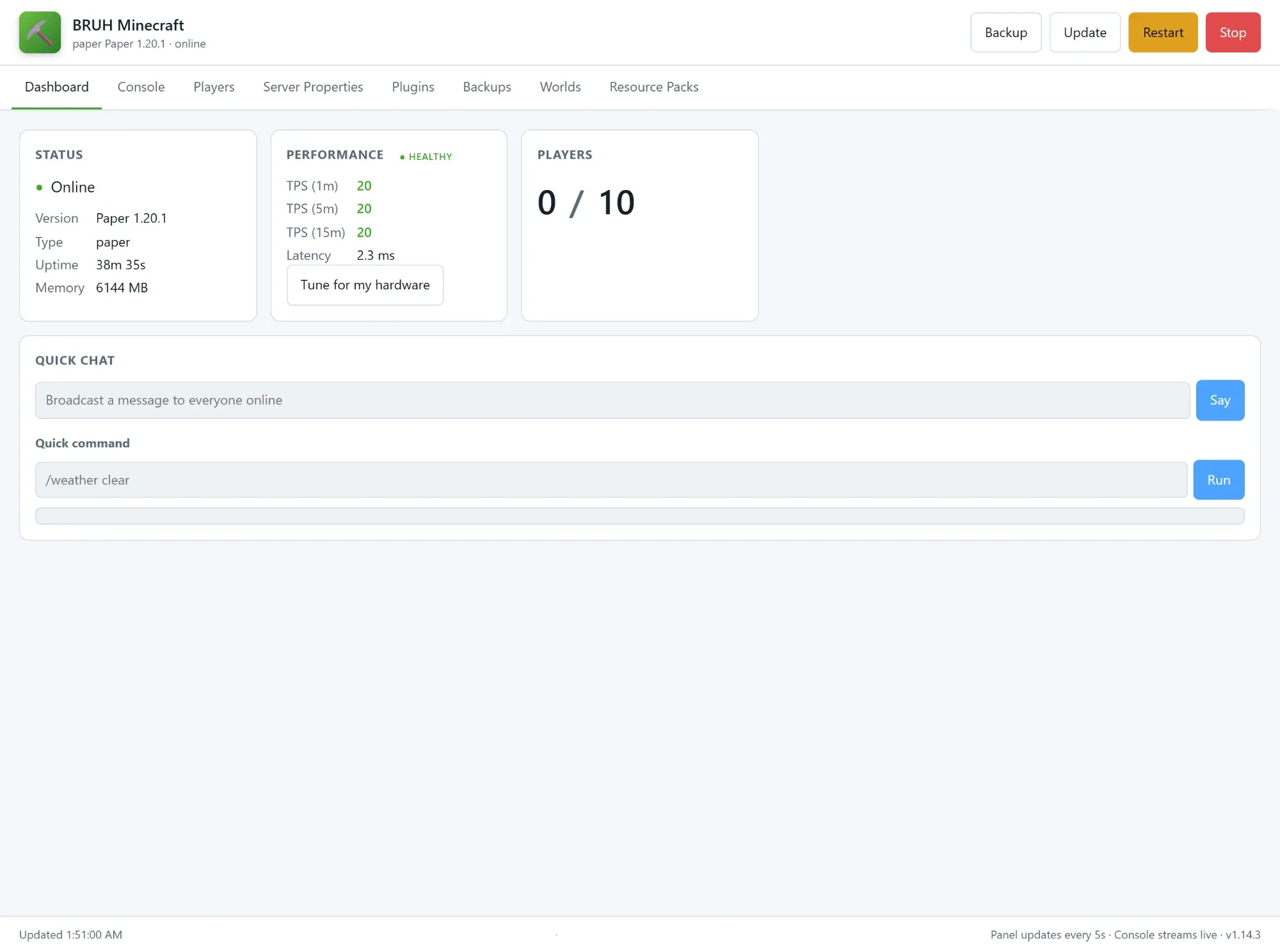
A tab for everything you’d want to do without SSHing in — fully responsive, so the HA Companion app experience matches desktop:
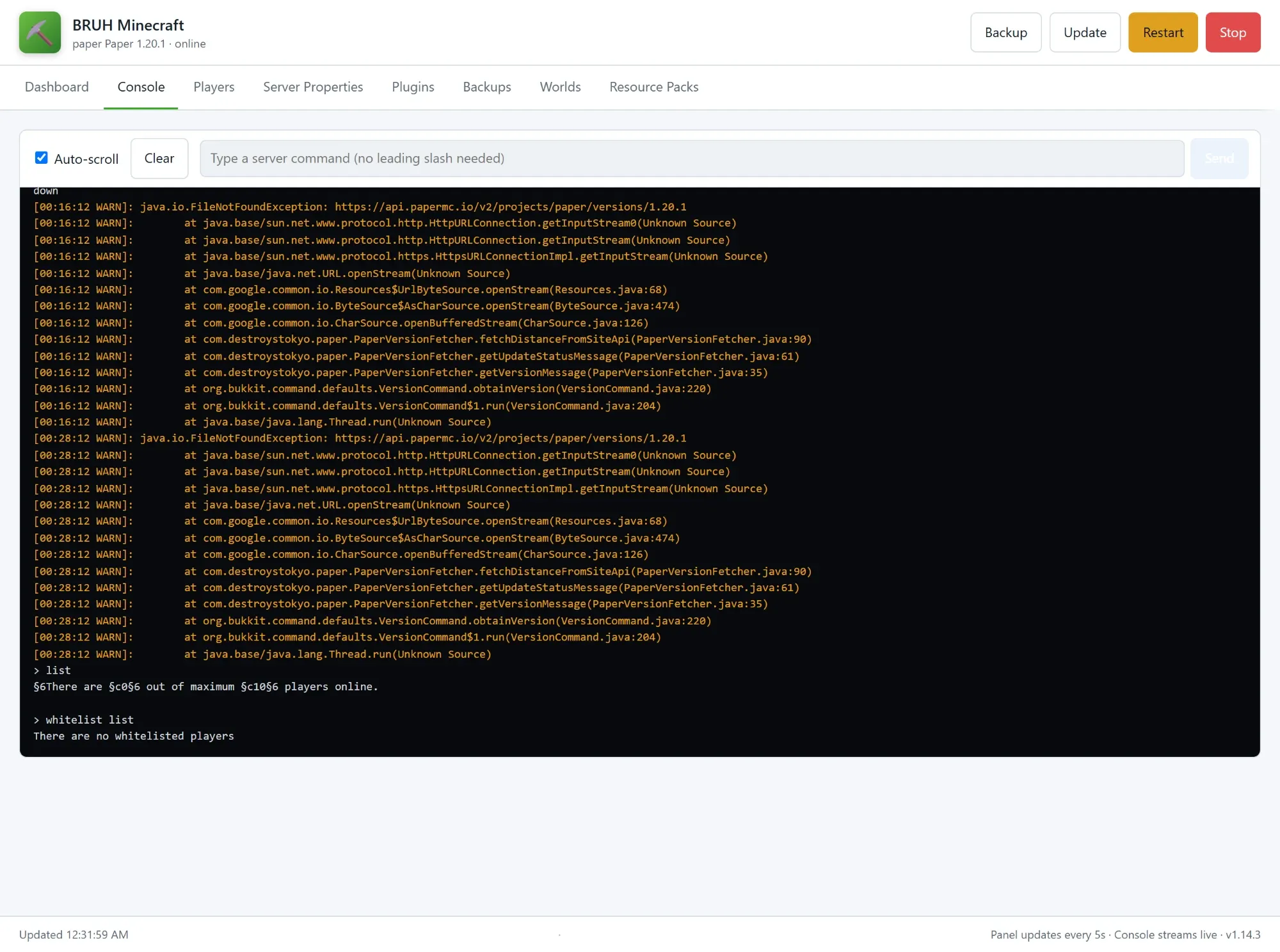
/say, one-shot RCON.zip, install Featured worldsAlways-visible header buttons: Backup • Update • Restart (JVM-only, ~15s) • Stop.
A companion integration is auto-discovered on first boot: 12 sensors (players, TPS, latency, uptime, …), 2 binary sensors, 4 buttons, 14 services, and a notify platform for in-game broadcasts. Pair with brAIn and “tell everyone dinner is ready” works by voice. Entities, services, and automation recipes →
# Auto-stop when nobody's playing for 30 minutesautomation:  - alias: Minecraft - auto-stop when idle    trigger:      platform: numeric_state      entity_id: sensor.bruh_minecraft_players_online      below: 1      for: "00:30:00"    action:      service: bruh_minecraft.stop_server
# Snapshot before any risky world editscript:  safe_fill:    sequence:      - service: bruh_minecraft.backup_now      - service: bruh_minecraft.rcon_command        data: { command: "fill ~-10 ~ ~-10 ~10 ~ ~10 minecraft:stone" }
# Broadcast a doorbell ring to everyone in-gameservice: notify.bruh_minecraft_broadcastdata: { message: "Doorbell rang!" }
Quick Start → — add the repo, install, set eula: true, start. Java :25565, Bedrock :19132.